
Croptracker’s Receiving module creates inventory records as product arrives on site.

Print tags and label inventory as it is unloaded for traceability through your whole operation.

Pick up and label inventory onsite with no data connection needed. Unload and sync on arrival.

Vertical Image Horizontal Image
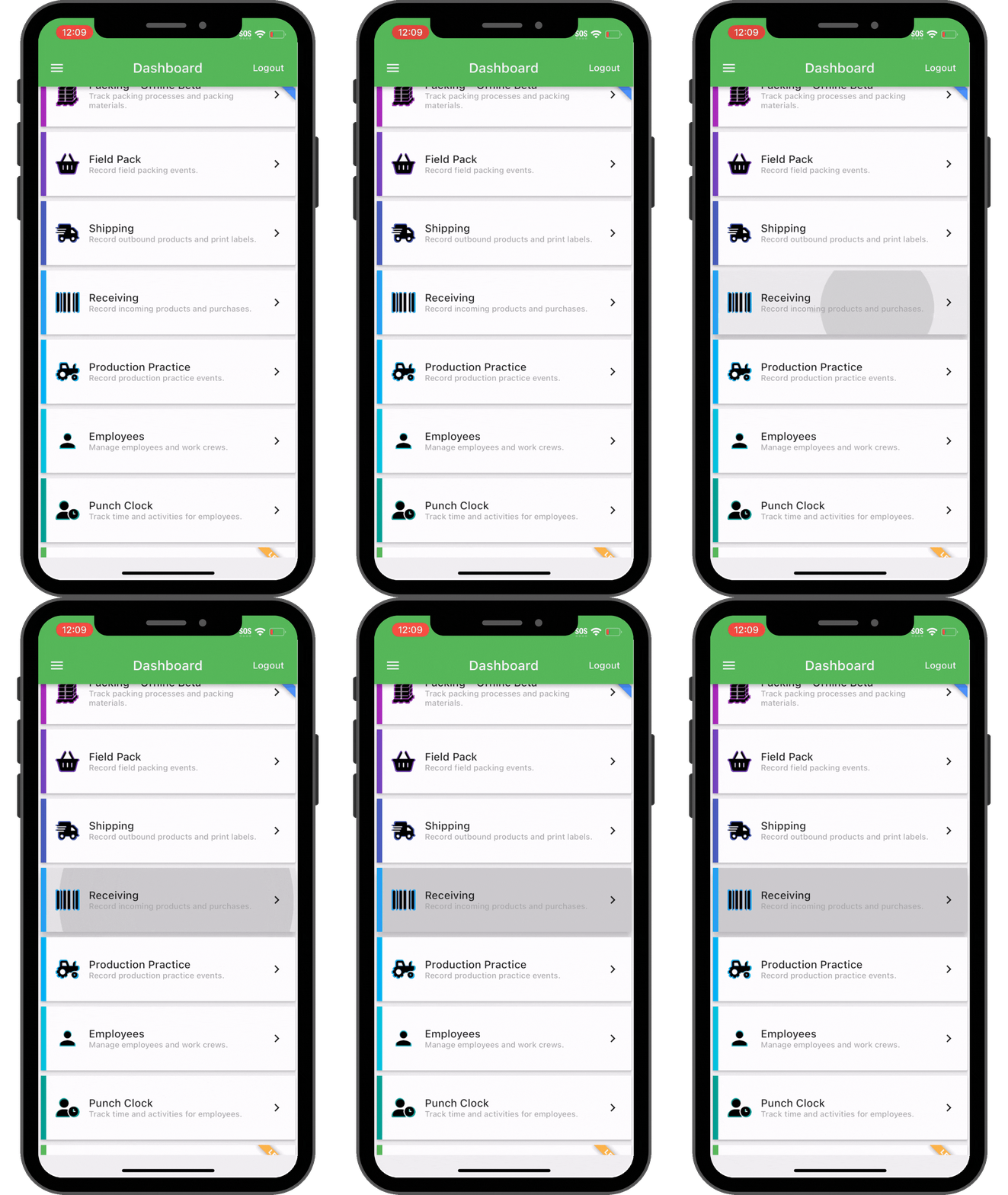
A front-facing view of a smartphone displaying a mobile application dashboard. The interface features a green header bar

Croptracker’s Receiving module creates inventory records as product arrives on site.

Print tags and label inventory as it is unloaded for traceability through your whole operation.

Pick up and label inventory onsite with no data connection needed. Unload and sync on arrival.

Don’t lose time:
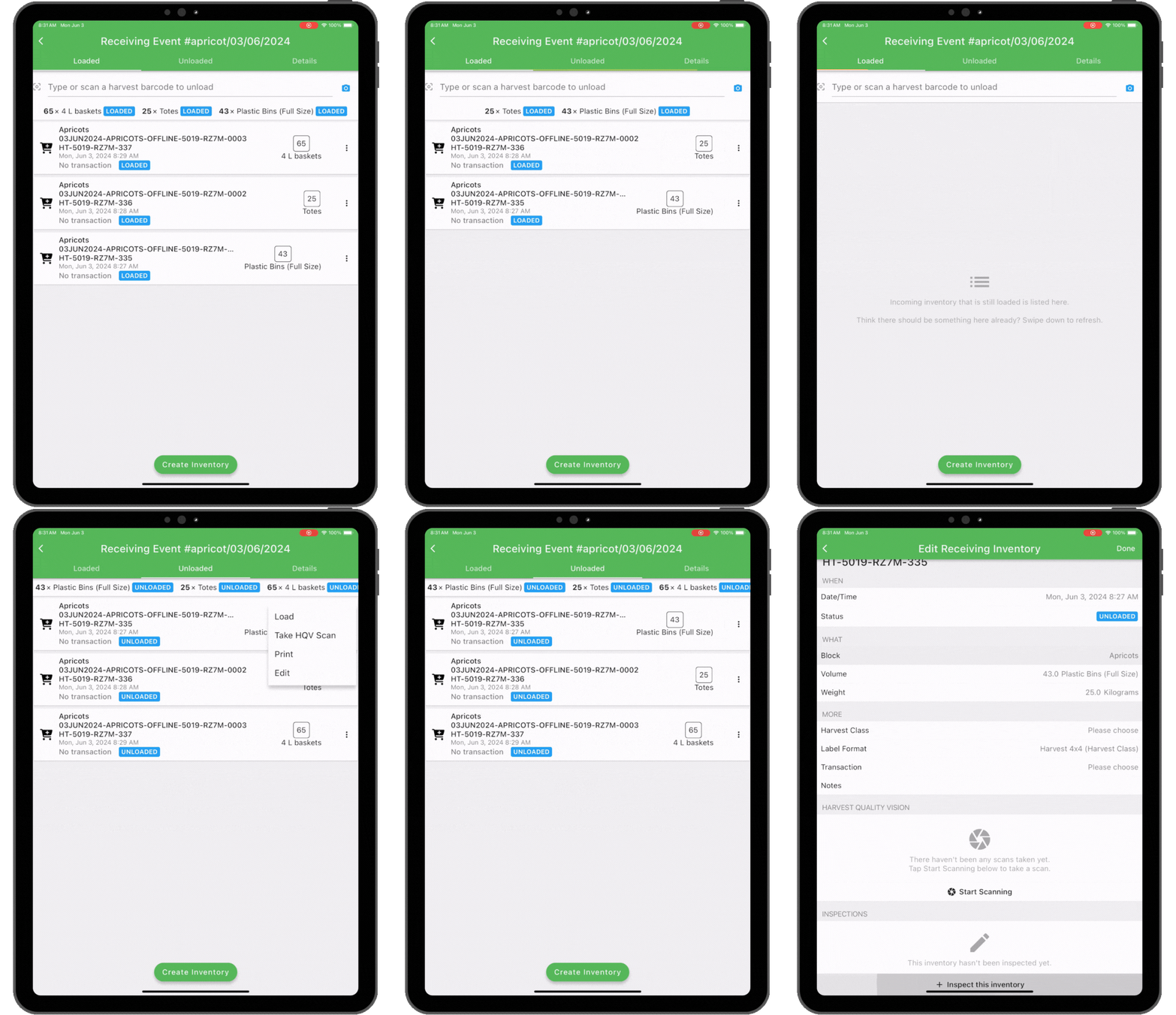
Quickly log origin, amount, time received and shipping details on your mobile device.

A tablet screen displaying a mobile inventory application titled "Receiving Event #apricot/03/06/2024." The interface
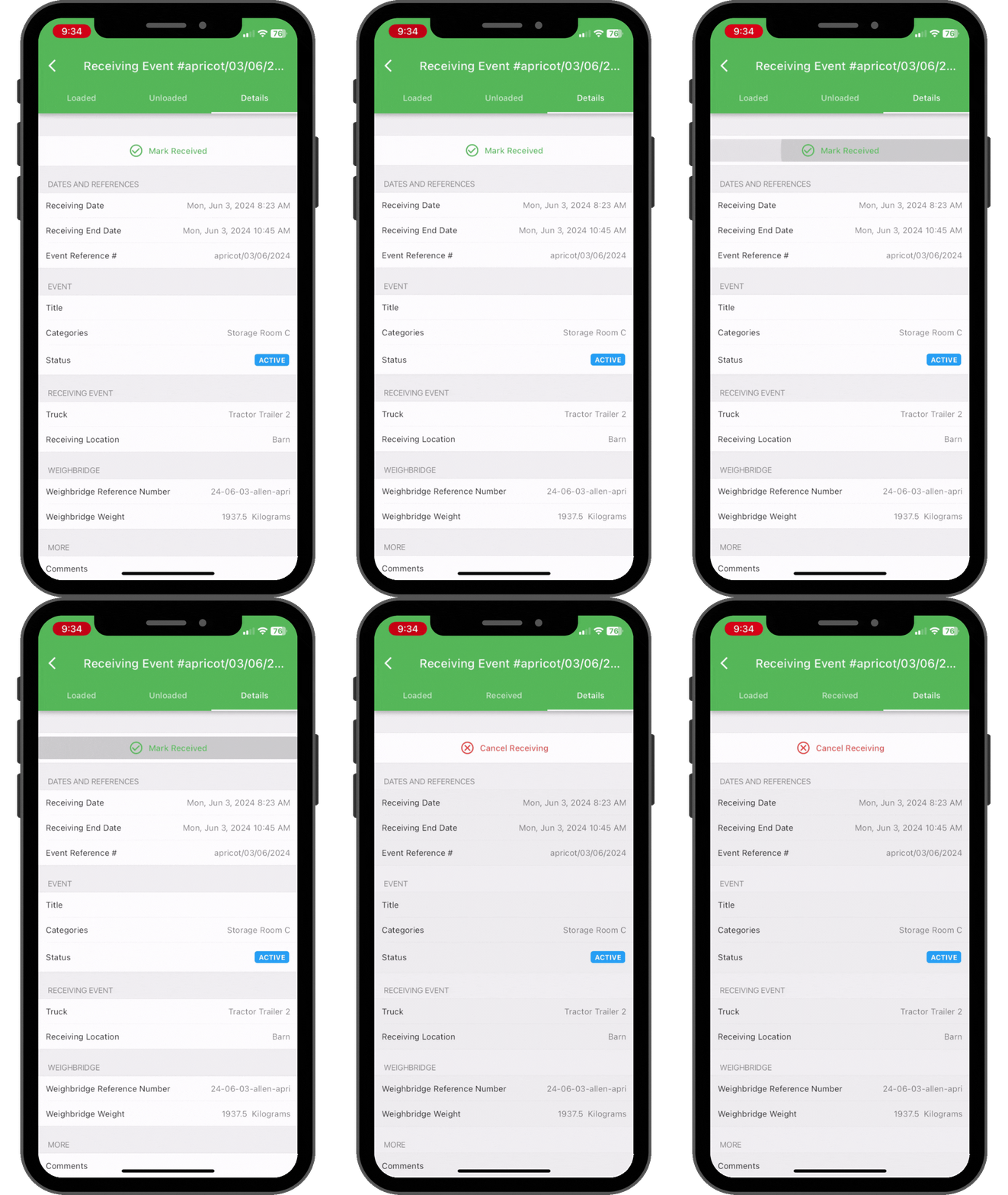
A vertical shot of a smartphone displaying a logistics or inventory management application interface. The screen is titled

Don’t lose track:
Easily organize inventory for storage and packing and sales without waiting.

Link Receiving with other Croptracker modules for more functionality and traceability.
The user wants a description of the provided image. 1. **Identify the main subject:** The image shows a row of green objects.
A green icon featuring a stylized user silhouette (head and shoulders) on the left and a location pin symbol inside a circle on the right.

Add Punch Clock to link employee and equipment run-time and costs
A flat-style vector icon of a green garage or storage unit. The illustration features a pentagonal shape with a peaked roof.

Add Storage to quickly move recieved inentory into the right room.

A horizontal, flat-style icon of a green ladder with two black rungs, featuring a solid black drop shadow offset to the bottom right.

Add Packing for full inventory traceability into product creation.

A green price tag icon with rounded corners and a hole at the top, featuring a large white checkmark in the center. The

Add Quality Control to record QC information against inventory easily.
A stylized, flat-vector icon of a green delivery truck facing right. It features three horizontal black speed lines trailing

Add Shipping to records inventory moving out to buyers and storage.

Two green, rounded-corner arrows pointing in opposite directions (top arrow points right, bottom arrow points left) are

Add Order Desk to record buying and selling costs directly linked to products.
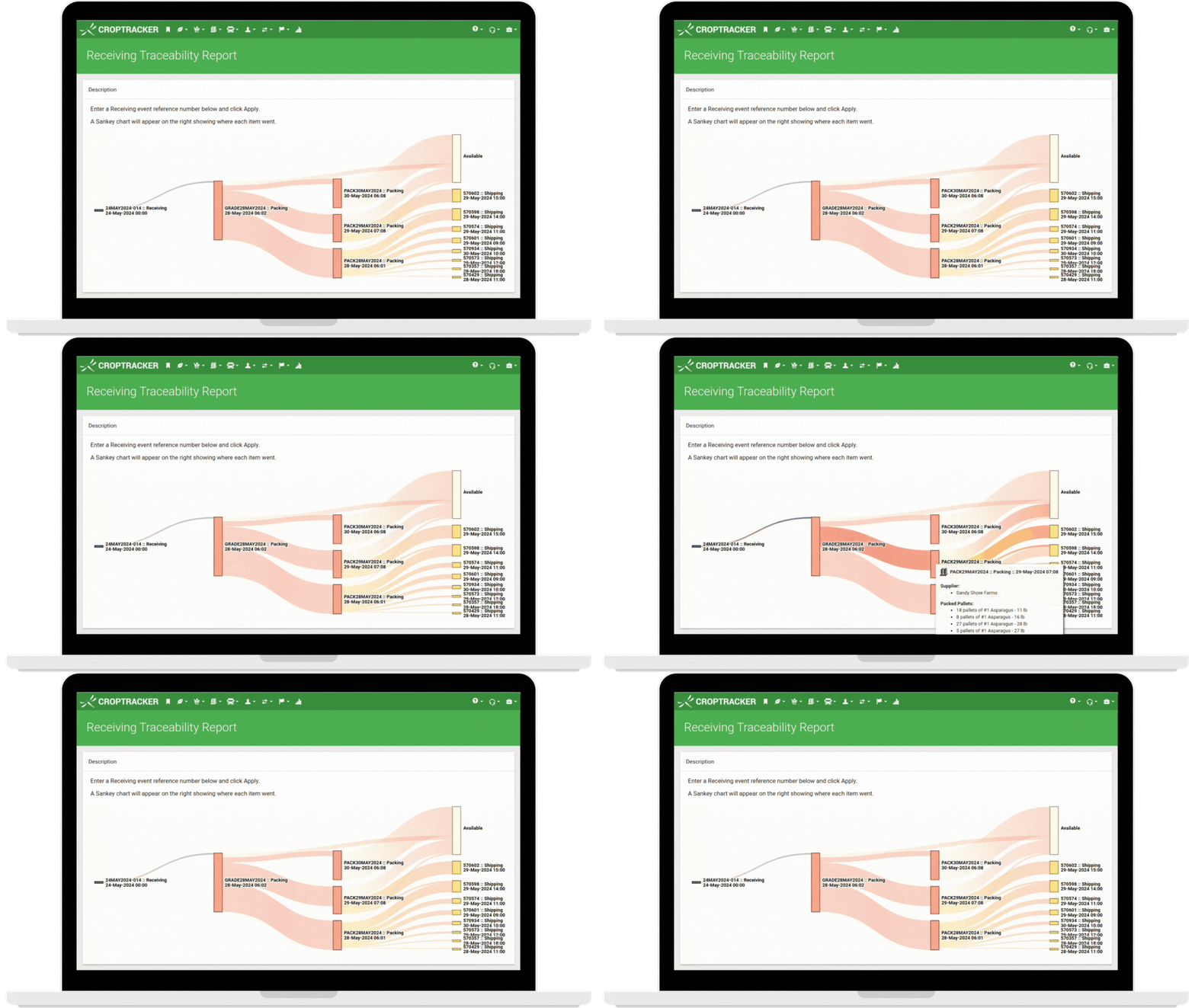

A laptop screen displays the "CropTracker" software interface, specifically the "Receiving Traceability Report" page. Below

Generate end-to-end traceability reports on demand for audits and inventory management.

See available inventory at a glance and optimize sales and packing operations.

Learn more about how Croptracker’s Receiving module can fit your farm today!

Book a demo with our expert support staff to determine your ideal workflow.

Request your free private demo now!

Let our expert staff walk you through the Croptracker system, and answer any questions you have.

We are here to help.

Request a Demo